Spring Boot - Virtual Thread
With Java 24+ blocking code scales like async without the callback complexity. We look at virtual threads after the removal of synchronized pinning, and put StructuredTaskScope and ScopedValue to work in Spring Boot backed by benchmarks
Introduction
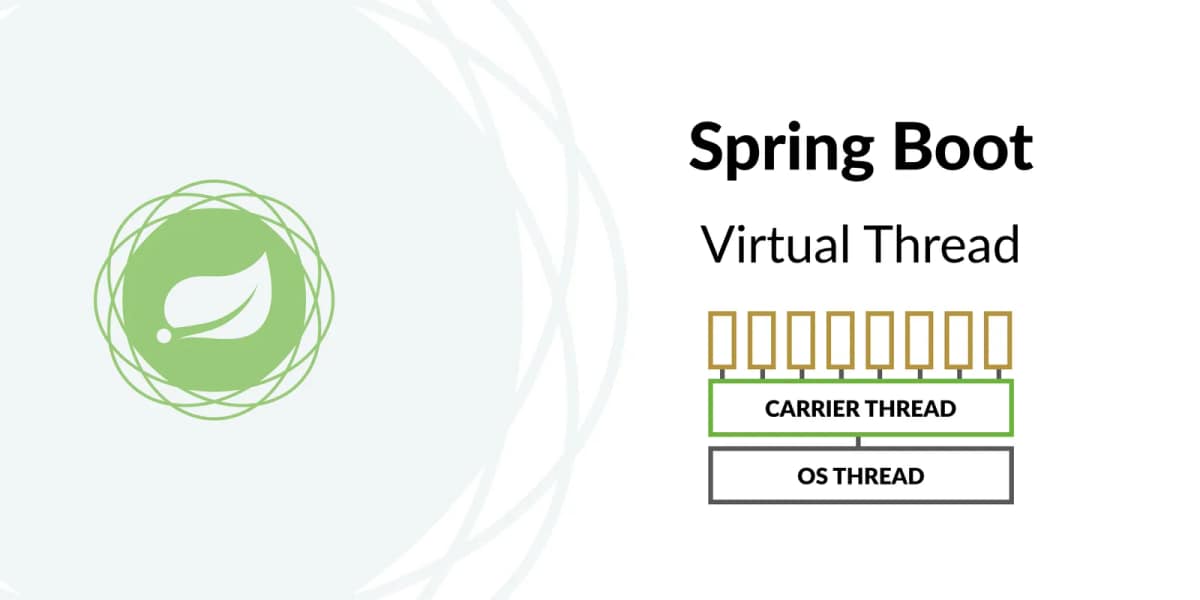
Virtual threads were introduced in Java 21, but they came with a big catch: a virtual thread could not detach from its carrier inside a synchronized block, so it ended up blocking the worker thread. Java 24 fixed that, and now it's possible to write plain blocking code without using any reactive or Future API. This means it can scale well with a smaller footprint, as it consumes a few hundred bytes of heap instead of a whole OS thread.
Let's dive in
Before virtual threads, handling 10K concurrent requests meant going asynchronous: WebFlux, callbacks, the Future API, task executors. It works, but it is a bit challenging: stack traces, exceptions, and decreased code readability because of chained callbacks.
A virtual thread starts as a heap object of a few hundred bytes instead of reserving around a megabyte like a worker thread. That's what makes it cheap enough to give one to every request. And that's the real win: you get asynchronous scalability while writing plain synchronous code. Same debugger, same stack traces, readable code.
Synchronized virtual threads
Until Java 24, a virtual thread could not detach from its carrier inside a synchronized block. It stayed mounted for the whole block, and the worker thread underneath it was stuck too. Let's demonstrate how Java 24 fixed that with a real-world example.
The cost is easy to measure. My MacBook has 12 cores, so the virtual thread scheduler runs 12 carrier threads. Pin all of them and you're back to a pool of 12. 100 tasks sleeping one second each can only run 12 at a time, so roughly 9 rounds , taking about 9 seconds.
@Test
void synchronizedVirtualThread() throws InterruptedException {

    StopWatch watch = new StopWatch("Synchronized virtual thread");
    watch.start("Run 100 virtual threads sleeping 1s inside synchronized");

    List<Thread> tasks = IntStream.range(0, 100)
            .mapToObj(i -> Thread.ofVirtual().unstarted(() -> {
                synchronized (new Object()) {
                    try {
                        Thread.sleep(1000);
                    } catch (InterruptedException e) {
                        throw new RuntimeException(e);
                    }
                    System.out.println("Thread : " + Thread.currentThread());
                }
            })).peek(Thread::start).toList();

    for (Thread task : tasks) task.join();

    watch.stop();
    System.out.println(watch.prettyPrint(TimeUnit.SECONDS));
}
Run it using Java 21:
StopWatch 'Synchronized virtual thread': 9.042884708 seconds
------------------------------------------------------------
Seconds       %       Task name
------------------------------------------------------------
9.042884708   100%    Run 100 virtual threads sleeping 1s inside synchronized
On Java 25, the same code finishes in 1.03 seconds. Java 24 made virtual threads release their carrier inside a synchronized block, so all 100 run concurrently and the whole thing takes about as long as the one-second sleep.
StopWatch 'Synchronized virtual thread': 1.031877917 seconds
------------------------------------------------------------
Seconds       %       Task name
------------------------------------------------------------
1.031877917   100%    Run 100 virtual threads sleeping 1s inside synchronized
Enable virtual threads in Spring Boot
One property. It's off by default, so you have to turn it on manually:
spring.threads.virtual.enabled=true
Tomcat will now handle each request on a virtual thread instead of borrowing one from its fixed pool. No code changes, no new dependencies.
Load testing with K6
The endpoint under test does nothing but sleep for one second under pure I/O wait, no CPU work. The load test fires 1000 requests at once.
By default Tomcat has 200 threads, so 1000 concurrent requests can only be served 200 at a time: five batches, one second each. That predicts about 5 seconds, and the measured result is 5.2 seconds.
running (0m05.2s), 0000/1000 VUs, 1000 complete and 0 interrupted iterations
burst ✓ [======================================] 1000 VUs  05.2s/30s  1000/1000 iters, 1 per VU
With virtual threads active, there is no pool to queue in. All 1000 requests are handled concurrently and the test finishes in 1.1 seconds.
running (0m01.1s), 0000/1000 VUs, 1000 complete and 0 interrupted iterations
burst ✓ [======================================] 1000 VUs  01.1s/30s  1000/1000 iters, 1 per VU
Structured concurrency
When a request hits a service running on virtual threads and the handler does blocking IO, the virtual thread is unmounted while it waits. The carrier thread is free, so throughput scales. But the request itself is still sequential code. If the handler makes three external API calls, each taking 1 second, the response takes almost 3 seconds.
The fix is to run the independent calls in their own virtual threads and wait for all of them at once. That's what StructuredTaskScope is for.
Without StructuredTaskScope
public List<String> fetchData() {
    var a = externalCall(); // 1s blocking
    var b = externalCall(); // 1s blocking
    var c = externalCall(); // 1s blocking
    return Stream.of(a, b, c).flatMap(List::stream).toList();
}
@GetMapping("/data")
public ResponseEntity<?> fetchData()  {
    var data = service.fetchData();
    return ResponseEntity.ok(data);
}
@Test
void without_structuredTaskScope() {

    StopWatch watch = new StopWatch("Structured Task Scope");
    watch.start("GET /api/data (3 external calls)");

    client.get().uri("/api/data").exchange().expectStatus().isOk();

    watch.stop();
    System.out.println(watch.prettyPrint(TimeUnit.SECONDS));

}
StopWatch 'Structured Task Scope': 3.121924541 seconds
------------------------------------------------------
Seconds       %       Task name
------------------------------------------------------
3.121924541   100%    GET /api/data (3 external calls)
With StructuredTaskScope
Now we call the same web service, but with StructuredTaskScope:
public List<String> fetchData() throws InterruptedException {
    try (var scope = StructuredTaskScope.open()) {
        var a = scope.fork(() -> externalCall());
        var b = scope.fork(() -> externalCall());
        var c = scope.fork(() -> externalCall());
        scope.join();
        return Stream.of(a.get(), b.get(), c.get()).flatMap(List::stream).toList();
    }
}
@GetMapping("/data")
public ResponseEntity<?> fetchData()  {
    var data = service.fetchData();
    return ResponseEntity.ok(data);
}
@Test
void with_structuredTaskScope() {

    StopWatch watch = new StopWatch("Structured Task Scope");
    watch.start("GET /api/data (3 external calls)");

    client.get().uri("/api/data").exchange().expectStatus().isOk();

    watch.stop();
    System.out.println(watch.prettyPrint(TimeUnit.SECONDS));

}
StopWatch 'Structured Task Scope': 1.12640625 seconds
-----------------------------------------------------
Seconds       %       Task name
-----------------------------------------------------
1.12640625    100%    GET /api/data (3 external calls)
In this example we saw how to fix slow blocking calls. We give each call to a subtask, run them at the same time, wait for all of them to finish, and then continue with the results.
Scoped values
Sometimes we want to keep a temporary value for one request for exmaple a tenant ID. The value should live for the whole request, then go away.
The old way is ThreadLocal. It still works with virtual threads, but it has two problems. First, a thread local lives as long as the thread, so it is easy to leak. Second, and more important here: when we fork subtasks, each subtask runs in a new virtual thread, and that thread does not see the parent's thread local.
ScopedValue fixes both. The value is set for one block of code only, it cannot be changed inside that block, and it is automatically visible to every subtask forked inside it.
@Component
public class TenantFilter implements Filter {

    public static ThreadLocal<String> tenantFromthreadLocal = new ThreadLocal<>();
    public static ScopedValue<String> tenantFromscopedValue = ScopedValue.newInstance();

    @Override
    public void doFilter(ServletRequest request, ServletResponse response, FilterChain chain) throws IOException, ServletException {
        String tenantId = ((HttpServletRequest) request).getHeader("tenantId");
        tenantFromthreadLocal.set(tenantId);
        ScopedValue.where(tenantFromscopedValue, tenantId).run(() -> {
            try {
                chain.doFilter(request, response);
            } catch (IOException | ServletException e) {
                throw new RuntimeException(e);
            }
        });
    }
}
@GetMapping("/checkTenantId")
public ResponseEntity<?> checkTenantId() throws InterruptedException {
    try (var scope = StructuredTaskScope.open()) {

        var data = scope.fork(() -> {

            String fromThreadLocal = TenantFilter.tenantFromthreadLocal.get();
            String fromScopedValue = TenantFilter.tenantFromscopedValue.isBound()
                    ? TenantFilter.tenantFromscopedValue.get()
                    : null;

            log.debug("checkTenantId from ThreadLocal: {}", fromThreadLocal);
            log.debug("checkTenantId from ScopedValue: {}", fromScopedValue);

            return Map.of(
                    "threadLocal", String.valueOf(fromThreadLocal),
                    "scopedValue", String.valueOf(fromScopedValue)
            );
        });
        scope.join();
        return ResponseEntity.ok(data.get());
    }
}
{"scopedValue":"acme","threadLocal":"null"}
Now call the web service and look at the logs. Inside the subtask, the ThreadLocal value is null, but the ScopedValue is still there.
The reason is simple. A ThreadLocal value belongs to one thread. The subtask runs in a new virtual thread, and that new thread has its own empty set of thread locals, so it sees nothing. A ScopedValue does not belong to a thread; it belongs to the block of code we opened. Every subtask forked inside that block is still inside the scope, so it can read the value.
Takeaway
Virtual threads are not a silver bullet. If your Spring Boot app is a thin layer over a SQL database ( read some data, map it then return it ) switching to virtual threads will change almost nothing. The bottleneck is not the threads, it is the database. Your connection pool has 10 connections, and 10,000 virtual threads will just wait. You did not add capacity, you only moved the queue.
Virtual threads shine when one request does a lot of IO: calling several external APIs, publishing to Kafka or RabbitMQ, reading from Redis, writing to storage. There the thread spends most of its life waiting, not working. The JVM unmounts it while it waits, so the same hardware serves many more requests. Fork the independent parts into subtasks and each request also finishes faster.
Keep reading
Spring Web - Rest Client
Spring Framework introduces RestClient a new Fluent API to make synchronous HTTP requests
Continue readingSpring Boot - Get Started
Spring Boot is a popular framework that simplifies and accelerate the process of developing a java based application
Continue readingSpring Data JPA Performance: Pitfalls and Fixes
A walk through the Spring Data JPA defaults that quietly hurt performance : connection leases, dirty checking, N+1, DTOs, batching, open-in-view and the one-line fix for each.
Continue readingSpring Authorization Server - OAuth JWT
This guide walks you through the process of building a Spring Boot Authorization Server JWT that uses Spring Security Security and Spring Security OAuth Resource. Applying the new way to configure Spring Authorization Server JWT without the Custom Filter
Continue reading